






















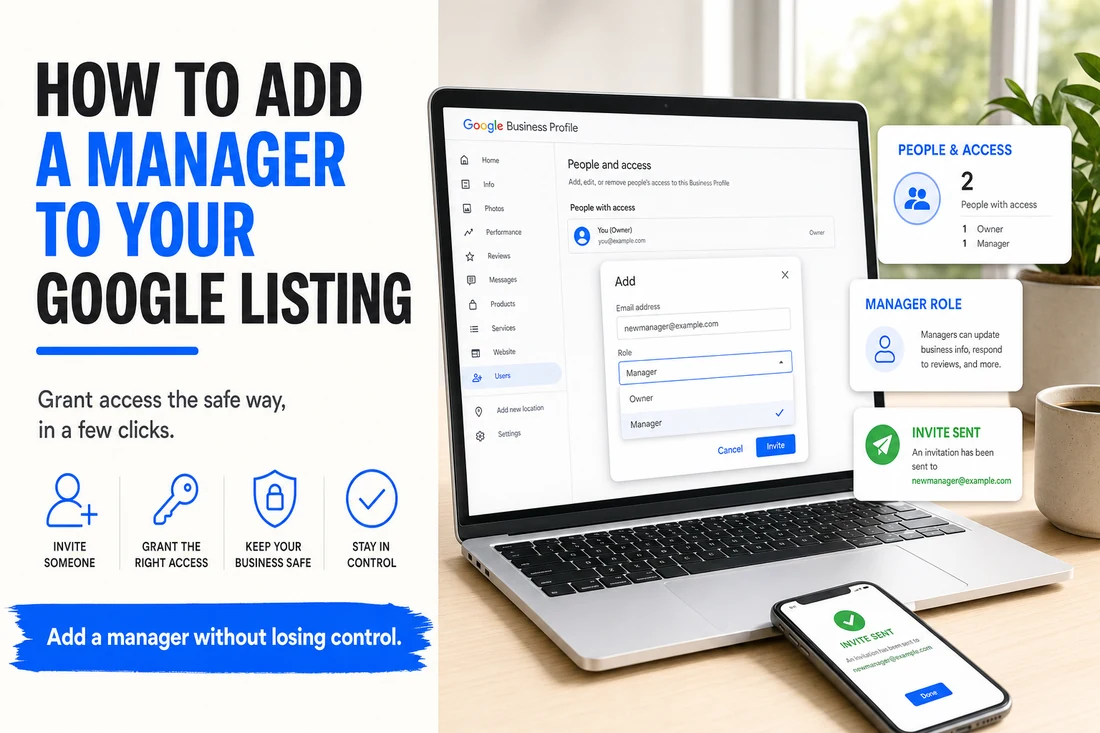
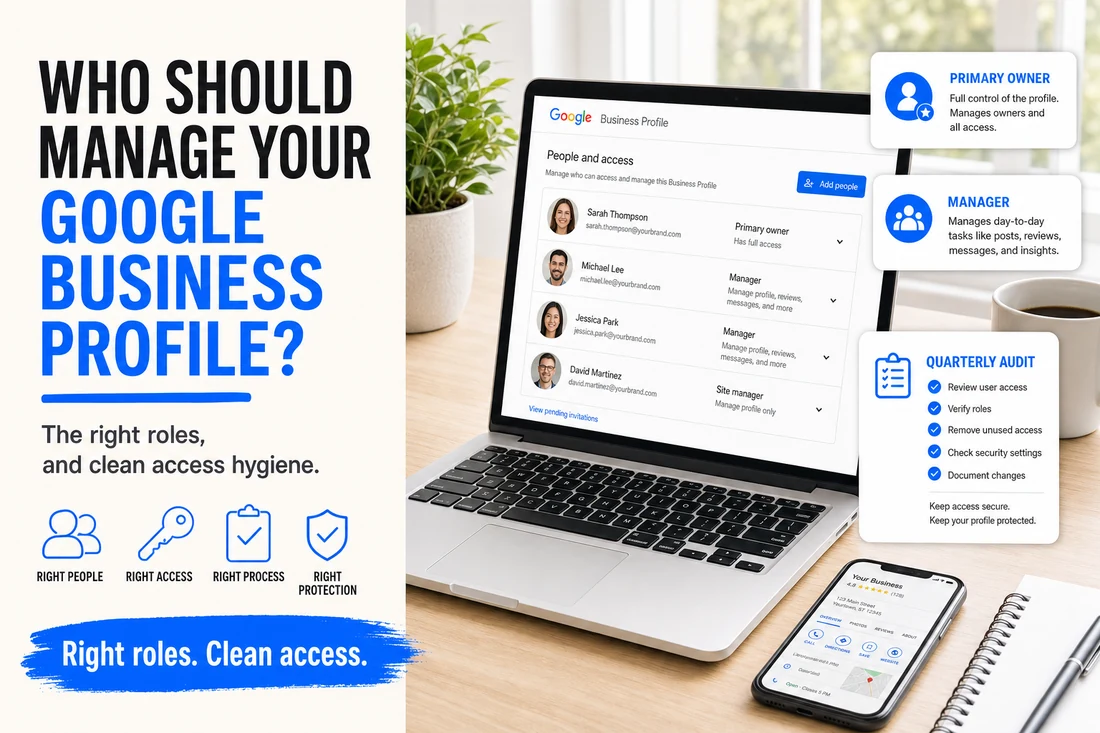
Adding a manager to your Google Business Profile is a 30-second task once you know where the buttons are. The harder question is the one most owners never stop to ask: who should be on that list, what should they be allowed to do, and what is your plan for removing them when the relationship ends?
Access management is one of those operational hygiene tasks that pays off years later, when you fire an agency or an employee leaves, or when your business is acquired. Here is how to think about it.
- Adding a manager takes 30 seconds — the real question is who, what access, and how you remove them.
- Give agencies and staff Manager; keep Primary Owner with the founder, always.
- Add agencies on a dedicated agency email, not a personal account.
- Audit access quarterly and document who holds which role.
The people who probably should have access
- The business owner. Primary Owner role. Non-negotiable. Even if you never log in, you need to be able to recover access if everyone else leaves.
- A business partner or co-founder. Owner role. Same logic — redundancy for if the primary account is lost.
- The marketing or operations lead. Manager role. They post updates, respond to reviews, and handle the day-to-day. They do not need to be able to delete the listing.
- Your marketing agency. Manager role, on an agency-controlled email — not a personal one. They handle GBP cadence on your behalf.
The people who probably should NOT
- Freelancers you are testing out. Give them Site Manager (the most limited role) until they prove out. Or share screenshots and have them advise.
- Family members "just in case." Unless they are operationally involved, access creep adds risk without benefit.
- Former employees still listed because nobody removed them. Audit once a quarter. Remove people who no longer work with you.
- An agency that has asked for Primary Owner. Manager is the role to give an agency. If they push for Primary Owner, that is a red flag — it means they could lock you out.
What each role can actually do
Practical capability map for non-technical owners:
- Primary Owner — can do anything including delete the profile and transfer ownership. There is only ever one.
- Owner — can do almost everything except remove the Primary Owner. Add a second co-founder or a long-term business partner here.
- Manager — can edit info, respond to reviews, post, and reply to messages. Cannot manage users or delete. This is what marketing employees and agencies should be.
(Google has changed role names a few times over the years. "Site Manager" used to be a separate fourth role; some older tutorials reference it. The current dashboard at business.google.com has consolidated to the three above.)
How to think about access hygiene
A few rules that have saved our clients from messy access situations:
- Quarterly audit. Open the People and access screen four times a year. Remove anyone who should not be there. This takes five minutes and prevents a lot of pain.
- Agencies on dedicated identities. Your agency should be added on something like agency-email@theiragency.com, not your contact person's personal account. If they switch employees, you do not lose access.
- Founder always retains Primary Owner. Even if you are not the one editing day-to-day. If you sell the business, ownership of the Google listing transfers cleanly.
- Document who has what role. A two-line entry in your business operations doc: "GBP managers: Sarah (manager), Acme Marketing (manager), Jose (owner — co-founder)." Knowing this in real time saves a panicked Google search at the worst moment.
At NTL of NYC, when we onboard a client we start by mapping their current GBP access and recommending a cleanup before we add ourselves. Often there are former managers from old agencies still on the list. Cleaning that up first is hygiene — the rest of the SEO work runs better on a tidy foundation.
Common questions
Who should I add as a manager? Trusted team members or agencies who actively maintain the profile, with the Manager role rather than full ownership.
What is the difference between Owner and Manager? Owners control ownership and can remove others. Managers can edit the profile but cannot transfer or delete it.
How do I clean up old access? Audit the People and access list periodically and remove anyone, like former staff or agencies, who no longer needs it.